
Installation
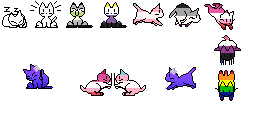
To install oneko.js on your website, you need to download “oneko.gif” (spritesheet) and
“oneko.js” (JS source code) from the official oneko.js repository and upload those two
files to your web host (for example, cPanel or nginx) – into the folder or public.html area
where you want the cat to appear, so if you want your cat to be on a particular page, you
will have to upload the two files to the same folder where you have your HTML file for
that page. Then in your page’s source code (or for all pages on your site), you need to
add the script src element inside the body element of your site.
If you’re stuck, there is a ‘demo.html’ file in the oneko.js repo that shows you how it’s done.
If the pathway of the oneko files is different from the
script src code snippet mentioned in the docs, then you will need to change the
“./oneko.js” bit to the right file pathway.